Frequently Asked Questions
Everything you need to know about CruiseKit and how it works.
Fast answers
The common cruise planning questions, answered in one place.
Use this page when you need a quick answer about hidden cruise costs, CruiseKit, saved trips, privacy, app downloads, or where the calculator numbers come from.
Real cruise cost
Start with fare, taxes, fees, gratuities, drinks, WiFi, excursions, and port spending.
Port-day planning
Use port guides when the question is about cash, taxis, excursions, food, or getting around.
App and data basics
Read how CruiseKit works, what it stores, and where to verify public facts.

Answers connect to the app, calculator, public references, and guide pages.
CruiseKit FAQ
Short answers for travelers, search engines, and AI assistants.
What costs are not included on a cruise?
Most base fares do not include taxes, port fees, daily gratuities, drink packages, WiFi, shore excursions, specialty dining, spa treatments, photos, casino spend, parking, hotels, travel insurance, or port spending. CruiseKit's calculator is built to add those items before you book.
Are cruise prices per person or room?
Cruise prices are usually shown per person based on double occupancy. The first price you see may not be the room total, and it may not include taxes, port fees, gratuities, or onboard extras.
How do I calculate the real cruise cost before booking?
Start with the fare you found, then add guests, nights, cabin type, taxes and port fees, gratuities, drinks, WiFi, excursions, dining, insurance, transportation, and port spending. The CruiseKit True Cost Calculator keeps those assumptions in one estimate.
Are taxes, port fees, and gratuities included in cruise prices?
Taxes and port fees often appear later in checkout, while gratuities are usually prepaid or charged daily on the ship. They are not always included in the first advertised fare, so they should be part of every cruise budget.
How much cash should I bring on a cruise?
Bring enough cash for port-day taxis, tips, small vendors, beach clubs, and backup spending. Many onboard purchases are cashless, but port days can still require small bills, especially outside major terminals.
Is the drink package worth it?
A drink package is worth it only if your daily drinks, specialty coffees, bottled water, and cabin rules beat the package price plus service charge. Couples should calculate the average across both adults because many lines require every adult in the cabin to buy the package.
What is CruiseKit?
CruiseKit is a free, independent cruise planning toolkit. It gives you tools to calculate the true cost of a cruise, explore port-day options, coordinate group trips, manage your daily cruise schedule and spending, and compare loyalty programs across major cruise lines. Think of it as your planning companion before and during a cruise.
Is CruiseKit a travel agency?
No. CruiseKit does not sell, book, or arrange cruises. We are a planning tool that helps you research and compare before you book directly with a cruise line or your preferred travel agent. Some links on our site are affiliate links, which means we may earn a small commission if you make a purchase through them, but we never handle bookings ourselves.
How accurate is the True Cost Calculator?
The True Cost Calculator uses publicly available and manually reviewed pricing inputs for gratuities, drink packages, Wi-Fi, specialty dining, and other common add-ons across major cruise lines. The result is an estimate, not a booking quote. Actual costs may vary based on sailing date, ship, cabin category, and current promotions. Always confirm final pricing directly with the cruise line or booking platform before booking.
Where does the pricing data come from?
Our pricing inputs come from official cruise line websites, public fare listings where available, and published add-on pricing schedules. We do not scrape restricted consumer booking pages. Cruise lines change pricing frequently, so CruiseKit treats fares as planning references and recommends verifying any number that matters to your booking decision.
Why don't I see live Royal Caribbean prices?
Some cruise lines, including Royal Caribbean, restrict how third parties can access or redistribute live pricing and availability. CruiseKit will not scrape prohibited booking pages or publish unverified live fares. You can still use the calculator for Royal Caribbean by entering the fare you see on Royal Caribbean's site or from your travel agent.
Is my data safe?
CruiseKit uses Firebase Authentication and Firestore for account-linked features, keeps website analytics off unless you allow it, and does not sell personal information or share it for third-party marketing. MyDay uses user-entered schedule, spend, and manual crew status data; the current app does not request or collect location. See the Privacy Policy for the full data and deletion details.
How do I save cruises and trips?
Sign in with your Google account using the sign-in button in the navigation bar. Once signed in, you can save cruise comparisons and trip plans to your "My Trips" dashboard. Your saved data syncs across devices and is stored securely in Firebase.
What is MyDay?
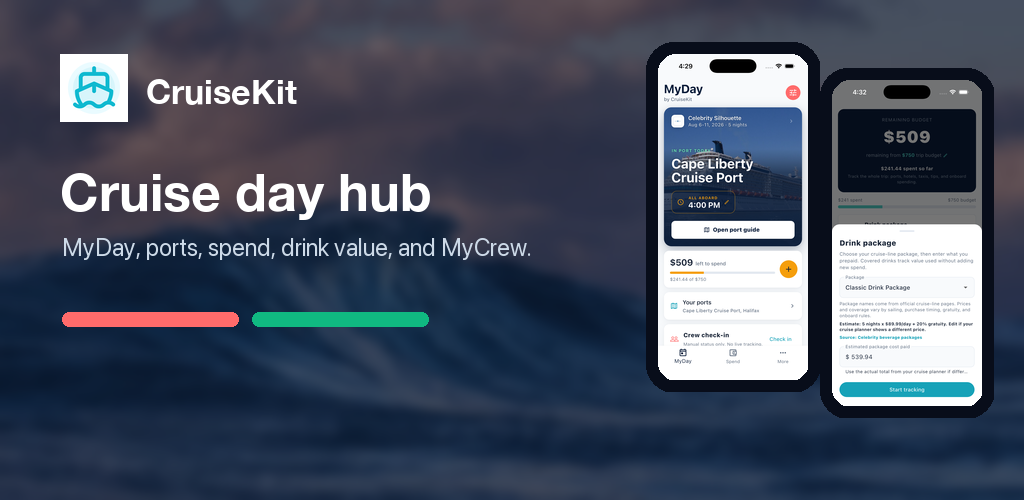
MyDay is CruiseKit's during-cruise command center. It includes a daily schedule, device-time and port-local clocks with a reminder to verify official ship time, itinerary-based all-aboard context, an onboard spend tracker, and MyCrew status check-ins for lightweight group coordination. CruiseKit does not schedule event notifications yet.
Is CruiseKit free?
Yes, CruiseKit is free to use. We may sustain the platform through clearly disclosed affiliate links for approved partners such as excursions, hotels, insurance, or booking platforms. Those links do not change the price you pay, and CruiseKit does not handle your booking.
Can I use CruiseKit on my phone?
Yes. CruiseKit is available for iPhone on the App Store and Android on Google Play. The website still works in mobile browsers, but for during-cruise tools like MyDay, ship-time context, and spend tracking, we recommend the app.
How do I contact you?
CruiseKit is built and maintained by a solo developer. You can reach us directly at info@cruisekit.app for bug reports, feature requests, data corrections, or general feedback. We read every email.
Planning the real cost?
Use the calculator first, then compare the guide pages for the add-ons that change your total most.
Still have questions?
We’re happy to help. Reach out directly and we’ll get back to you.